

Release Announcement of OPTISHAPE-TS2026
April 24, 2026
We are pleased to announce the release of OPTISHAPE-TS 2026. The latest version introduces numerous new features and enhancements, including the new Location of Center of Gravity cost function for topology optimization, output of the Contribution of each cost function, automation features in TS Studio, and cross section information for solid elements.
Details
Cost Function Location of Center of Gravity for Topology Optimization
The "Location of Center of Gravity" cost function has been added to topology optimization, which was previously available only in non-parametric shape optimization.
Previously available only in non-parametric shape optimization, the center of gravity evaluation can now be utilized in topology optimization as well.
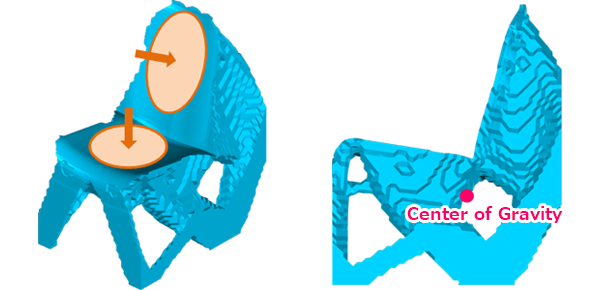
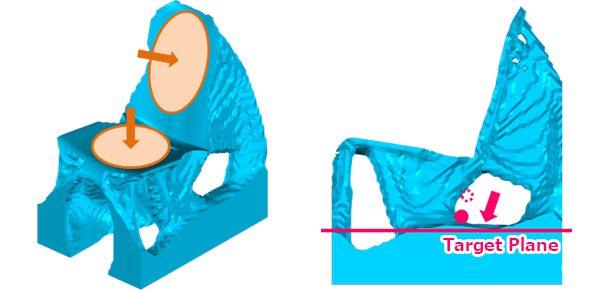
The figures above show an example of a chair model. By lowering the center of gravity, it can be seen that the leg sections have become larger.
Contribution Output of Each Cost Function
The contribution of each cost function to the design variable can now be output in non-parametric shape optimization and bead optimization.
By checking the contribution, you can see how much each cost function influenced the resulting shape. This feature is useful for interpreting the optimization results.
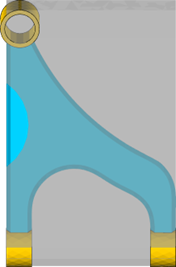
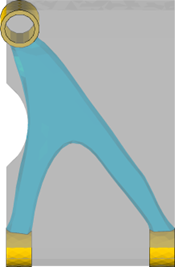
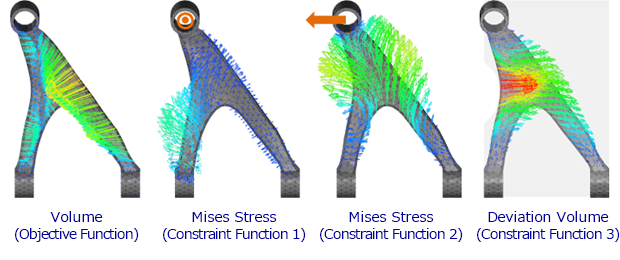
The figures above show an example of non-parametric shape optimization where volume was minimized under constraints for Mises stress in two subcases and deviation volume.
By checking the contributions, it can be seen that the objective function (Volume) contributes to inward shape variation, constraint function 1 (Mises stress) affects the lower-left area, constraint function 2 (Mises stress) affects the top, and constraint function 3 (Deviation Volume) contributes to the rightward shape variation of the center part.
Automation
TS Studio now supports automation. This feature is particularly useful for post-processing multiple results.
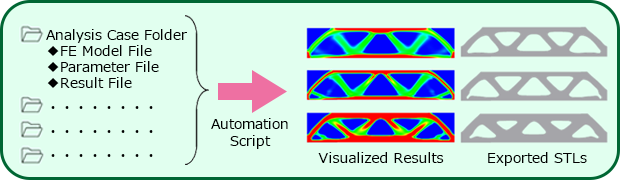
This allows for the automation of a series of tasks, such as loading finite element models, optimization parameters, and analysis results, displaying isosurfaces and contour views, and saving them as images.
Cross Section Information for Solid Elements
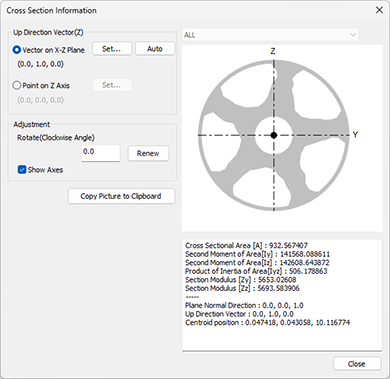
A cross section information feature for solid elements has been added.
This feature was developed in response to customer feedback requesting a way to focus on numerical values of cross sections during the design process.
Documentation Overhaul
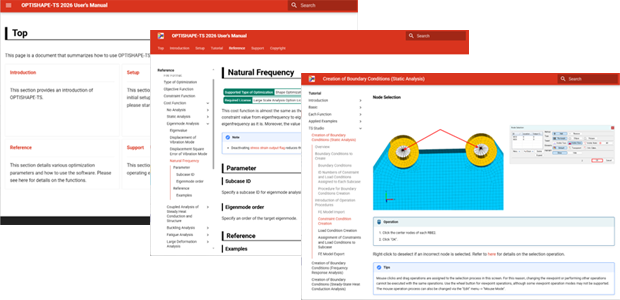
The documentation has been completely overhauled.
Previously provided as separate PDF files, the manuals are now HTML-based, offering improved visibility and cross-document search capabilities.
Other Enhancements and Improvements
Approximately 60 additional features and improvements of various scales have been implemented, including features for checking model draft angles, arrow displays in contour view, and various usability enhancements. Numerous known issues identified to date have also been resolved.
About OPTISHAPE-TS
OPTISHAPE-TS is a structure optimization software with the topology optimization,
non-parametric shape optimization and bead optimization.
For over 40 years including the predecessor software OPTISHAPE,
this software has been utilized in various fields such as research,
development and design of automobile components, electric devices, construction equipments, sporting goods, etc.
Contact
Quint Corporatiom
 Contact Form

